

TL;DR
- SocialPilot is a solid social media management tool, but its lack of analytics depth, missing social listening features and pricing that scales more than your needs is making many too look for SocialPilot alternatives.
- We personally tested 10+ alternatives to SocialPilot with real brand accounts and real campaigns to see which tool matches every business needs. Each platform on this list solves a specific gap that SocialPilot leaves open.
- Gudsho Social topped my list for its all-in-one management, Buffer for its free entry point, Sprout Social for the social listening depth and Later for its visual-first brands.
If you are looking for a SocialPilot alternative right now, then you already know why.
We manage social media for brands from various niche of different sizes, but we can tell you from our experience that hitting the ceiling on SocialPilot feels frustrating every single time.
It’s not that SocialPilot is bad, but that moment you start needing more like better analytics, a real social listening tool, built-in video editing or collaboration that does not feel like filing paperwork.
That’s what we exactly did, we spent weeks testing these 10 best SocialPilot alternatives by connecting real accounts and real content. This helps run real campaigns to get real results and feedbacks for brands to genuinely switch from SocialPilot.
Why Consider SocialPilot Alternatives?
SocialPilot is a well-known social media management platform for its bulk posting, AI content generation, scheduling and managing multiple accounts. Although it has some really good functionalities, teams want more focused features like advanced social listening or team collaboration, as social media is evolving drastically.
The pricing is often higher for smaller teams and businesses, which makes them look for a more affordable option. Additionally, some platforms provide audience behaviour, sentiment analysis and market trends that SocialPilot’s standard package does not cover. Exploring these top SocialPilot alternatives give brands, agencies and creators the efficiency and flexibility to grow digitally.
A Quick Comparison of the Best SoicalPilot Alternatives
| Tool | Best For | Unique Features | Free Plan | G2 Rating |
| GUDSHO Social | Brands and agencies needing all-in-one management | Built-in video editor, unified inbox, cross-channel publishing | Free trial | 4.8 |
| SocialBee | Automatic content recycling and AI-driven post scheduling | Category-based queues, AI Copilot for content strategy | Free trial | 4.7 |
| Buffer | Small businesses and solo creators | Link in Bio, AI caption assistant, simple interface | Free plan with limits | 4.3 |
| Hootsuite | Large teams who need 20+ platform support | Social listening tool, OwlyWriter AI, third-party integrations | Free trial | 4.3 |
| Post Planner | Automating content curation and recycling for creators | Viral content discovery, visual content calendar, team collaboration | Free plan with limits | 3.9 |
| Sprout Social | Deep social listening features built for enterprises | Smart Inbox, sentiment analysis, CRM integrations | Free trial | 4.4 |
| CoSchedule | Teams managing both social and blog together | Unified marketing calendar, ReQueue for content automation | Free plan with limits | 4.5 |
| Planable | Agencies handling multiple clients with complex approval workflows | Real-time visual collaboration, multi-level approvals, drag-&-drop calendar | Free trial | 4.6 |
| Loomly | AI content suggestions to eliminate creative block | Post previews, AI idea generator, hashtag manager | Free trial | 4.6 |
| Later | Brands focusing on visuals and Instagram-first strategy | Live grid preview, best time to post AI, Link in Bio | Free trial | 4.5 |
Top 8 SocialPilot Alternatives & Competitors in 2026
1. GudSho Social
An all-in-one SocialPilot Alternative to manage and track every post across multiple channels.
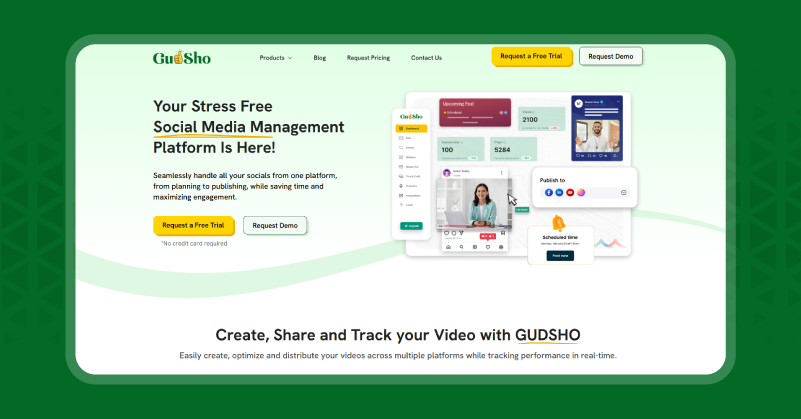
GudSho Social is an innovative social media management platform built to plan, publish, schedule, analyze and amplify your posts across various social channels. Unlike traditional platforms, which make you juggle multiple apps at once, it provides a single dashboard from which marketers, creators and businesses can manage major platforms like Facebook, Instagram, LinkedIn and YouTube.
Whether publishing real-time updates or planning posts weeks in advance, it gives you the flexibility you need without the headaches of multiple tools and confusing interfaces. With its unified inbox, you can manage and reply to comments from all connected social accounts instantly from a single place. That’s not all, its built-in video editor lets you quickly edit your videos and make last-minute corrections before posting. All these make GudSho Social one of the best SocialPilot alternatives that combine the social media management process without the complexity and hefty price.
Features
- Plan and schedule your posts up to 30 days across multiple social networks in minutes.
- Cross-platform publishing lets you post and reuse videos simultaneously on Facebook, Instagram, LinkedIn, and YouTube.
- Unified Inbox lets you view and monitor comments, mentions and messages from all connected social channels in one easy-to-manage inbox.
- Built-in video editor lets you trim, crop, merge and split without any additional software.
- Track performance metrics including views, likes, comments and engagement for data-driven optimization from a single dashboard.
Pros and Cons of GudSho Social
| Pros | Cons |
| Multiple features on the same platform eliminates the need to switch between various apps. | Video editor in basic compared to dedicated video editing apps |
| The unified inbox changes how you manage and reply to all social comments in one place. | I want them to add X and TikTok as it is one of my requirements. |
SocialPilot vs GudSho Social: Which one is better?
After two weeks of use, I find that SocialPilot handles bulk scheduling and white label reporting well. While GudSho Social covered video editing, unified engagement and cross-platform analytics in one place. This is why content-heavy teams prefer GudSho Social as it combines all in a single platform without the heavy pricing.
2. SocialBee
An AI-driven Alternative to SocialPilot built to Automate, Optimize and Grow Your Social Media.
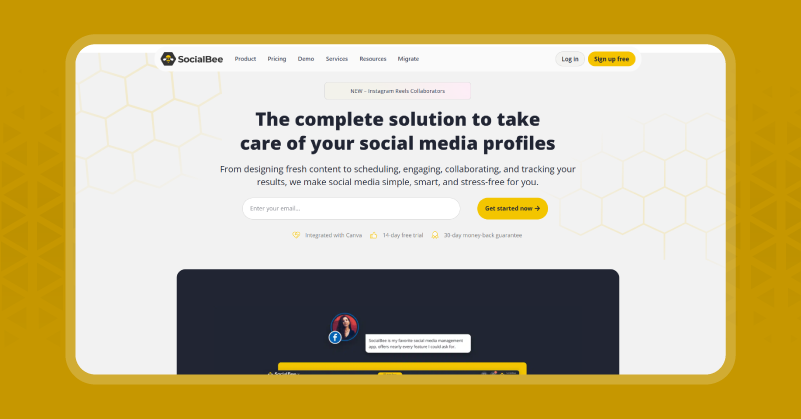
SocialBee is a complete social media management tool designed for individuals, small businesses and growing agencies to create, schedule & analyze social media content. Its intuitive interface and smart automation sort your posts into categories so you can create a balanced content mix that audiences will love. Using its AI-powered Copilot, you can create bespoke posting strategies, captions and even visuals in a single click.
SocialBee universal posting capabilities support all major networks such as Facebook, Instagram, LinkedIn, TikTok, YouTube, Threads and more. Your team can collaborate, approve content, manage social inbox and get detailed analytics from one place. Starting out or scaling up? SocialBee is a reliable alternative to SocialPilot for all your social media campaign needs.
Features
- Produce customized posting schedules, content ideas and optimized strategies using AI.
- Organise posts in meaningful categories for automated and balanced publishing to maintain your audience’s interest.
- You can design or access graphics on Canva, Unsplash, GIPHY or the built-in AI Image Generator without leaving the platform.
- Publish on all major networks and niche platforms, including Reddit, Telegram & WhatsApp, in one workflow.
- Track account growth, post-performance, manage comments and mentions, and address DMs in real time using its social Inbox and analytics.
Pros & Cons of SocialBee
| Pros | Cons |
| Category-based recycling helps to automatically repost evergreen content and ensure the account stays active | Limited reporting dashboard |
| AI Copilot lets you generate complete content posting strategies and not just captions | Not ideal for solo users |
SocialPilot vs SocialBee: Which one is better?
SocialPilot offers better white label reporting for client-facing agencies. But if you have a team that wants their content to work without constant manual input, SocialBee is the best SocialPilot alternative in the list. I have used both and SocialBee has saved me about three hours a week on content maintenance alone.
3. Buffer
A Simplified and Budget-friendly Social Media Scheduling Tool for Creators
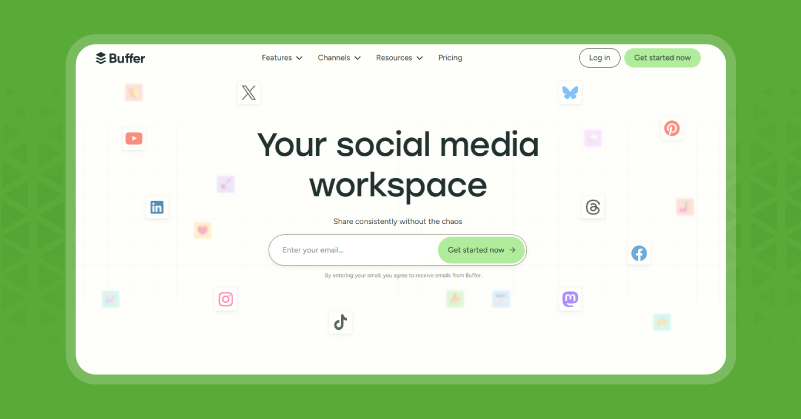
Buffer is crafted for creators, small businesses and startups who want a simple way to schedule and manage their social media presence without the complexity of enterprise software. Supporting Facebook, Instagram, LinkedIn, TikTok, Twitter, Pinterest, YouTube, and newer networks like Threads and Bluesky, Buffer lets users plan content weeks in advance with a drag & drop calendar. It offers a simple user interface, collaborative workflows and an AI assistant to help you write posts and optimize captions instantly.
Buffer provides performance analysis, audience demographics and best times to post so users can tweak their strategies for maximum impact, all from an integrated analytics dashboard. Buffer also has a custom “Link in bio” landing page to attract audiences and get traffic. The free plan and scalable paid options make it a top SocialPilot alternative for solo creators and small teams needing powerful yet simple management tools.
Features
- You can schedule posts across 11 social networks including Facebook, Instagram, TikTok, LinkedIn, Pinterest, YouTube Shorts, Threads, and Bluesky.
- Create optimized captions, content ideas & reuse posts faster with AI-powered assistants.
- Invite team members, assign roles, save drafts & collaborate on content creation in one unified workspace.
- Monitor audience engagement, post performance, demographics and optimal posting times with its intuitive dashboard.
- Create branded landing pages to drive traffic and connect all social profiles in one place.
Pros & Cons of Buffer
| Pros | Cons |
| A free plan is genuinely useful for beginners and solo users for basic activities | Pricing gets higher based as you add channels and users |
| Ten minutes is all it takes to onboard on the platform | Limited team collaboration features |
SocialPilot vs Buffer: Which one is better?
Agencies that need bulk client management can benefit from SocialPilot. While Buffer is ideal for everybody else who thinks that SocialPilot’s interface is more complex than the work itself. At USD 6 per month for the paid entry tier, there’s really no cheaper way to get a reliable social media management tool that won’t embarrass you in front of clients.
4. Hootsuite
Your all-in-one Social Media Management Platform with Social Listening Tools
Hootsuite remains the best social media management tool with millions of users worldwide. It enables businesses to do all the heavy lifting, from content creation & scheduling to engagement monitoring and results analysis. Hootsuite supports more than 20 social networks, which include emerging platforms like Bluesky and Snapchat, making it a great fit for brands targeting multiple audiences. The AI-powered assistant lets you generate post ideas, captions and hashtags without any hassle.
The platform does social listening well, allowing marketers to monitor brand mentions and competitor activity in real-time from millions of sources around the world. Its robust collaboration tools enable teamwork through role-based permissions and approval workflows. Hootsuite is a prime SocialPilot alternative for larger teams and enterprises due to its high pricing.
Features
- Manage posts across over 20 social networks, including Facebook, Instagram, LinkedIn, Twitter, TikTok, Snapchat, and Bluesky.
- Create captions, hashtags & post ideas with OwlyWriter AI to speed up your content creation & engagement.
- Using social listening tool, you can follow brand mentions, industry trends and sentiment analysis across 150 million sources in 187 languages for real-time market insight.
- Get full performance reports on organic and paid campaigns, audience demographics and ROI.
- Assign tasks, grant user permissions, approve content & manage client work in one place.
Pros & Cons of Hootsuite
| Pros | Cons |
| Capability to bulk schedule up to 350 posts to save time | Pricing increases per team member making it not ideal for solo creators |
| You can easily manage 20+ platforms that other apps can’t do | The dense and layered interface can be overwhelming for new users |
SocialPilot vs Hootsuite: Which one is better?
For agencies handling multiple clients SocialPilot is cheaper and more structured. Where Hootsuite has social listening features that offer a broader scope of audience reach and engagement opportunities compared to traditional social media platforms. They are vying for the same customer, SocialPilot is for agencies with content workflows, and Hootsuite is for enterprises that want intelligence alongside publishing. Unless your budget is not tight, the listening capability alone is worth the switch.
5. Post Planner
An AI-Powered Social Media Tool for Content Curation and Engagement
Post Planner is a social media management tool for marketers & small teams to increase engagement with smart content discovery & automated publishing. It pulls curated content from reliable sources to help you schedule posts that resonate with your audience without having to build everything from scratch. The Post Planner dashboard makes multi-network scheduling easy for Facebook, Twitter, Instagram and LinkedIn.
The best feature is its “Buckets” feature, which lets you sort posts into categories and cycle them around to keep things balanced in your feed. Automated recycling means your best posts stay at the top and get seen. Post Planner is a smart alternative to SocialPilot for creators and marketers who want to speed up their creations and increase reach.
Features
- Get trending and relevant content from more than 10,000 sources.
- Organize posts into categories automatically for balanced and varied content.
- High-performing posts are automatically rescheduled to increase ongoing reach and engagement.
- Scheduling posts for Facebook, Instagram, Twitter and LinkedIn from one dashboard.
- Get detailed insights into how your content performs and its optimal posting times.
Pros & Cons of Post Planner
| Pros | Cons |
| Budget friendly platform for solopreneurs and small teams. | Analytics are too basic, not ideal for advanced teams |
| The built-in search and curation feature helps discover top-performing content. | Lack of team collaboration and approval features |
SocialPilot vs Post Planner: Which one is better?
These not really competing tools, as SocialPilot is for agencies and Post Planner is for solo creators who need more content without doing more work. For the solo users who find SocialPilot overwhelming and overpriced, Post Planner is the most honest downgrade you’ll need.
6. Sprout Social
A Social Media Toolkit to Listen, Analyze, Engage and Amplify Your Social Impact
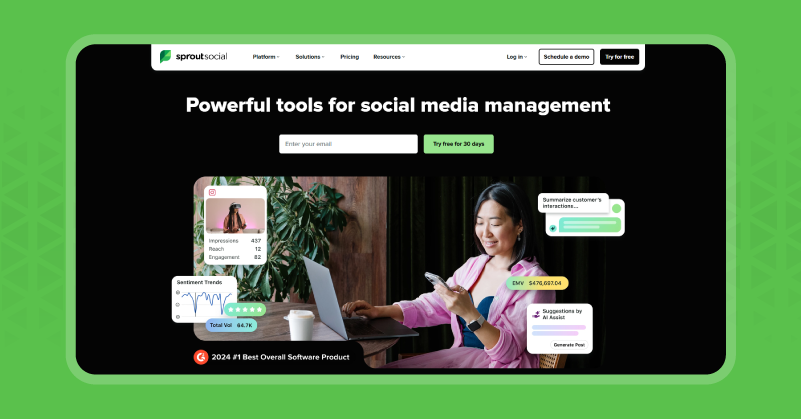
Sprout Social is a premium social media management platform for brands and agencies looking to turn their real-time conversation into an actionable strategy. With a philosophy based on “all business is social,” Sprout is considered an industry leader for combining social listening, AI-powered automation and advanced analytics in a lightweight package. Its modern customer service solution enables teams to provide proactive and white-glove support, turning your every online interaction into a brand-building moment.
The centralized process of publishing, engagement, customer care and influencer campaign management is what makes it a good alternative to SocialPilot. It enables teams to create content, track industry trends and drill down to performance insights via customizable reports for ambitious brands looking to outsprint their competitors.
Features
- AI-Driven Analytics & Social Listening lets you track conversations, sentiment & competitor activity across millions of sources & languages with ease.
- Offer proactive and personalized support to your audience via smart message routing & automated replies to increase customer satisfaction.
- Real-time approvals, role-based permissions and content calendars drive seamless team management and workflow.
- Discover, manage and evaluate influencers and partnerships to simplify relationship building & campaign execution.
- Create detailed branded reports, calculate business outcomes & cultural impact to help your social teams optimize strategies better.
Pros & Cons Sprout Social
| Pros | Cons |
| AI-driven content recommendations and reporting | Premium pricing is suitable for larger teams |
| Enterprise-grade collaboration and approval workflows. | Not ideal for beginners |
SocialPilot vs Sprout Social: Which one is better?
SocialPilot is your agency workhorse at an affordable cost. Whereas Sprout Social is the enterprise intelligence platform. I used both these tools for the same campaign but ended up with different data quality. Sprout Social showed me insights that SocialPilot did not know existed. So, if your team uses that intelligence to make decisions then it is worth the switch.
7. CoSchedule
A Platform With One Smart Calendar for All Your Social Media Marketing Needs
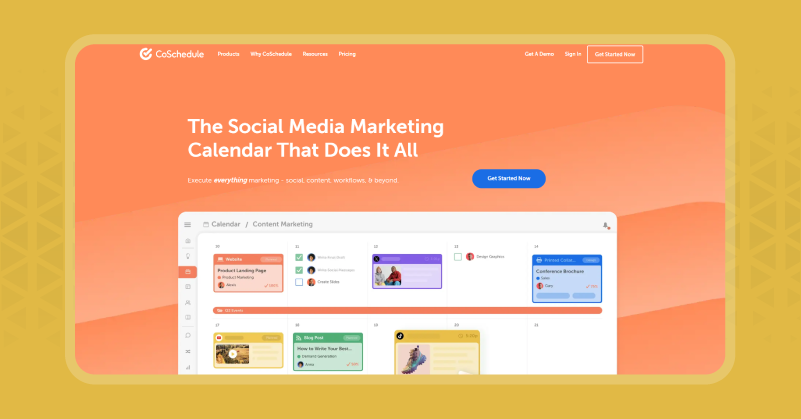
CoSchedule is an all-in-one social media management software for marketers who need order, clarity and productivity across campaigns, teams and channels. Its flagship social Calendar simplifies planning, scheduling and tracking of blog and social media content without the clutter of tools and spreadsheets. Marketers can map weeks or months of posts and fill scheduling gaps with bulk actions using drag-and-drop controls.
The platform lets you recycle evergreen content and recommend optimal posting times for better reach. The built-in social Inbox showcases messages, comments and mentions from major networks so teams can respond quickly. Working alone or with a team, CoSchedule is the ideal SocialPilot replacement for brands to be consistent and organized.
Features
- All your posts and campaigns are visualized on one drag-and-drop calendar with bulk scheduling and instant rescheduling for total transparency and control.
- Re-share top-performing content automatically during content gaps without extra work to extend the lifespan and reach of top posts.
- Unified social inbox lets you respond to comments, messages and mentions across all major social platforms from one dashboard.
- Use AI-powered recommendations for post timing, message style & content templates to drive maximum visibility & conversions.
- You can assign roles, manage team workflows and use built-in approvals to ensure brand consistency and campaign quality for one brand or multiple clients.
Pros & Cons of CoSchedule
| Pros | Cons |
| The unified calendar helps manage social media, blogs and email from one place | Too heavy and expensive if social media scheduling is all you need |
| ReQueue can automatically recycle the best-performing content during publishing gaps | The interface feels outdated compared to other social media management tools |
SocialPilot vs CoSchedule: Which one is better?
SocialPilot is all about social interactions, while CoSchedule is built for teams that use social media as part of a larger content operation. For those of you who run blogs, social channels and email from separate tools, CoSchedule is the perfect SocialPilot alternative that combines all these in a platform.
8. Planable
A Social Media Management Platform to Plan, Collaborate and Approve Visually
Planable is known for its visual & real-time collaboration across teams, agencies and solo creators. The platform is based on the look and flow of popular social networks, which makes content planning easy and fun. Its smooth drag-and-drop calendar lets you map campaigns and posts across Facebook, Instagram, LinkedIn, Twitter, TikTok, YouTube, Pinterest and Threads visually. With the collaborative feature, teams & clients can comment, edit & approve posts in context to avoid email chaos and accelerate workflows.
You can control the publishing process with multi-level approval workflows. Though lacking in deep social listening capabilities, Planable still stands to be one of the best SocialPilot alternatives to plan content, execute campaigns and promote teamwork.
Features
- Easily publish, edit and schedule content anywhere, anytime from any device.
- The visual calendar & grid views let you plan your content strategy and give a preview of how it will look before posting.
- Control your entire content strategy with its drag-and-drop interface for
- Provide feedback, edit and suggestions can be left beside each post to make approvals and teamwork easier than ever.
- The built-in editor lets you reuse layouts, trim, cut, or resize your posts instantly.
- AI lets you generate captions and hashtags instantly for your social posts with a click.
Pros & Cons of Planable
| Pros | Cons |
| Real-time visual preview shows how you posts look on every platform before publishing to eliminate errors | Lacks social listening tool or brand monitoring features |
| Its multi-level approval workflows help to avoid long email chains and confused creative versions | Not ideal for small teams and solo creators as pricing can be expensive |
SocialPilot vs Planable: Which one is better?
It is easier to schedule multi-client reports in SocialPilot. But planable handles content review way better than any other tool I’ve ever used. For agencies where approval bottlenecks are their primary operational problem, Planable is the right SocialPilot alternative to save hours every week.
9. Loomly
An AI-powered Social Media Scheduler Built for Creative Teams to Eliminate Creators block
Loomly is a complete AI powered social media management tool that eliminates creative blocks. There were times where we have sat in front of content calendars with twelve empty slots and no ideas, Loomly was the only one that addressed the problem.
The AI content suggestion engine helps generate post ideas tailored to the brand, audience and platform. Also, get accurate hashtag suggestions and the best times to post on social media based on the actual audience data. With this you can go from a blank calendar to a week of content in just an hour.
Moreover, the post-preview accuracy makes it easy to identify cropping issue, text overflow issue and more before anything goes live. All this make Loomly an ideal SocialPilot alternative for brands and businesses that want to grow on social media.
Features
- AI-powered content suggestions for post ideas, hashtags and optimal timing.
- Visual content calendar lets you identify content gaps across all platforms.
- Exact post-preview on every connected platform before publishing.
- Team collaboration tool makes team feedback and multi-level approvals easy.
- Multi-channel publishing is available on all major platforms.
Pros & Cons of Loomly
| Pros | Cons |
| AI content suggestions to generate post ideas specific to your brands rather than generic fillers | Free plan provides only 5 posts per month which is not enough for any active account |
| Post previews across every platform helps identify any formatting issues before going live | Lacks analytics depth for reporting on client accounts |
SocialPilot vs Loomly: Which one is better?
SocialPilot is best when it comes to agency-scale bulk scheduling and client reporting. While Loomly stands strong in creativity support and content quality , two areas SocialPilot was never really designed to address. For creative teams who care about quality over quantity, Loomly is the more thoughtful alternative to SocialPilot.
10. Later
A Visual-First SocialPilot Alternative Designed for Brands Focusing on Instagram and TikTok
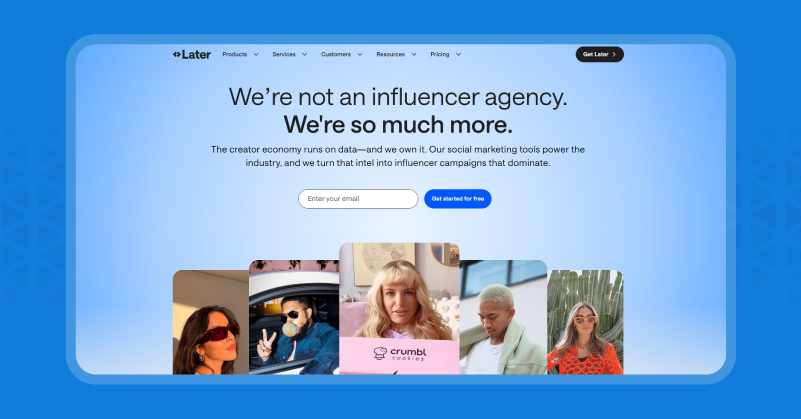
Later is a social media management platform for brands that consider Instagram and TikTok aesthetics as core brand assets. Here every post works as a clear visual narrative across the whole feed. So, figuring that out with SocialPilot is always a guesswork but with Later it’s not.
Though the live Instagram grid preview sounds like a small feature, in practice it totally changed how we planned content for clients. Also, you could see 3 weeks of posts laid out exactly as they would appear on the live profile, drag and drop them back together, and we could tell right away that the visual rhythm was working before any post went live.
Moreover, the AI timing recommendations on Later, gave different timing windows for Reels, feed posts and Stories based on the audience instead of one general “best time to post” for the whole account. This is why Later is the most preferred SocialPilot alternative for brands focused on aesthetics.
Features
- Live Instagram grid preview for final visual feed planning before posting.
- Drag & Drop visual calendar with real-time feedback to maintain posting rhythm.
- AI suggests the best time to post for specific platform and format.
- Users-generated content discovery with built-in rights management for reposting.
- Link in bio can be used for tracking and analyzing website traffic and audience behavior.
- One unified social inbox for DMs and comments across all connected platforms.
Pros & Cons of Later
| Pros | Cons |
| The live Instagram grid preview lets your maintain brand aesthetics | Lacks social listening tool or competitor monitoring |
| AI timing recommendations suggests the best time to post | Not ideal for brands focusing on LinkedIn or Twitter. |
SocialPilot vs Later: Which one is better?
SocialPilot is built for agencies with a high volume of content for multiple clients. Later is for brands that use Instagram and TikTok aesthetics as core assets and not just a publishing channel. If you are choosing between them for a visually led brand, then Later is the clear winner in the list of SocialPilot alternatives.
Growing Digitally Isn’t Just About Switching Tools
When we started looking for SocialPilot alternatives, we out ran its features. So, we choose 10 platforms where we genuinely recommend them each for different reasons. We all know that there is no single SocialPilot alternative that answers every problem.
After using them we came to know that GudSho Social made management easy, Buffer gave away so much for free, Sprout Social’s listening feature showed what was missing, and finally Later improved client relationship management much easier.
For anyone who wants to choose the right social media management platform, do not rate them on the feature list. Instead connect real accounts, schedule real content and see which tool makes your first week lighter.
Every platform on this list has a free trial. Start now and your workflow shift will tell you which one is right for you faster than this comparison article can.